CoreAI
Minio
Minio documentation
Minio
Learning objectives of this guide
- Understand the concepts of object storage with MinIO.
- Install and deploy a MinIO cluster in different modes (Standalone, Cluster).
- Create, configure, and delete MinIO S3 buckets.
- Manipulate S3 objects using the MinIO client or S3 APIs.
- Administer a MinIO cluster.
Fundamental concepts
Storage types
Today, there are three ways to store data:
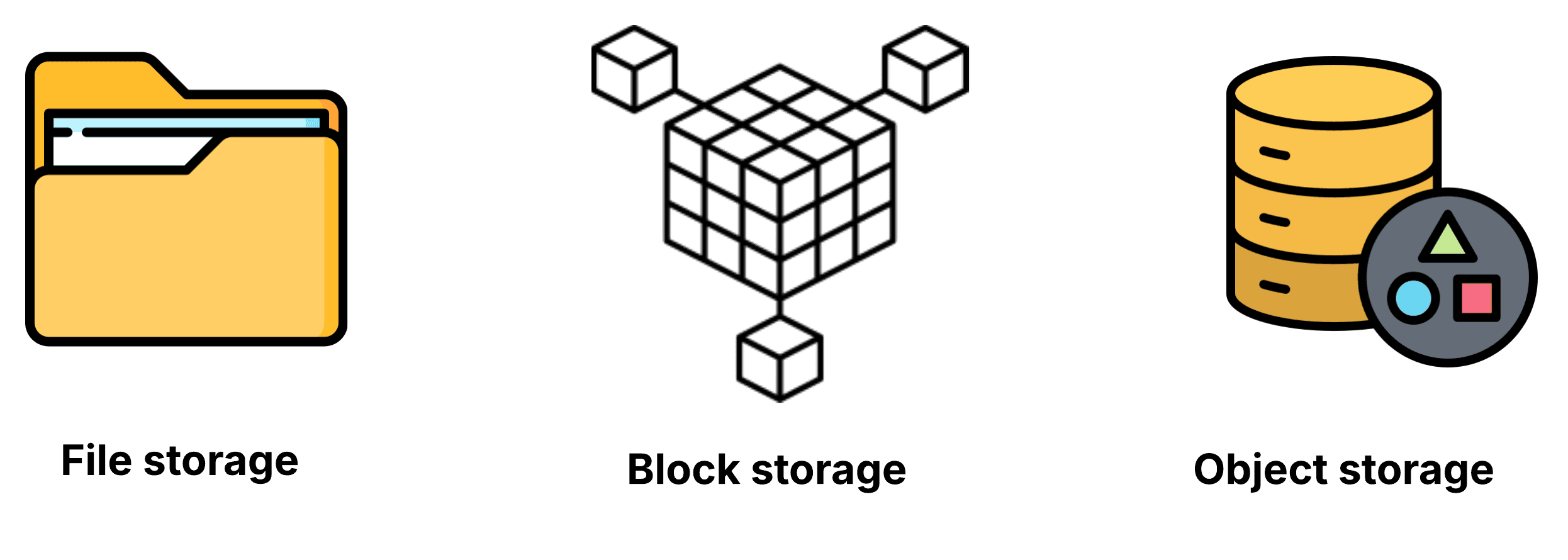
We will focus in this guide only on object storage.
Object storage
An Object is a “Binary Large Object,” also known as a BLOB:
- Can be of any size, type, or structure.
- Does not depend on a hierarchy for access and availability.
- Consists of a unique identifier, data, and complete metadata.
- The metadata is rich and provides additional context around the object.
Interaction with a BLOB is similar to that with an object on a local workstation:
- Documents, photos, videos, JSON files, etc.
- Raw data, CSV, etc.
- Archives and snapshots for applications
BLOBs can be organized with prefixes to “simulate” the organization available in file storage and make it easier for users to view objects. However, BLOBs with or without prefixes are always stored “flat.”
BLOBs are organized and stored in logical entities called buckets.
A bucket is a collection of objects, policies, and related configurations:
- Similar to a volume (e.g., an NFS mount, database, container, etc.).
- With a cloud provider, a bucket can be stored in the geographically closest region to minimize latency.
Applications do not create buckets—they consume them:
- Administrators create buckets for applications.
- Applications manipulate the objects contained in buckets with PUT and GET operations without hierarchical constraints on access and storage.
Pros of object storage
Performance: It is highly efficient for large content and high flow rates; it can potentially handle a virtually unlimited amount of unstructured data.
Scalability: The cluster can be scaled almost infinitely to petabytes and beyond.
Multi-region: Data can be stored in multiple geographically dispersed regions.
Rich metadata: Metadata is customizable. It allows data to be easily organized and retrieved, and almost anything can be stored in a flat, accessible storage pool.
Cons of object storage
Cannot replace a traditional database: Storing objects requires more processing time due to the high latency of these services.
Modifying objects: Once created, a BLOB is immutable. To “modify” it, you must delete it and then replace it with a new version.
BLOB size: While comprehensive metadata is an advantage for object exploration and retrieval, it can also overload the S3 engine when used with a large number of small objects. It is essential to group small objects into archives to maintain acceptable performance. The optimal size for an object is approximately 100 MB.
Minio
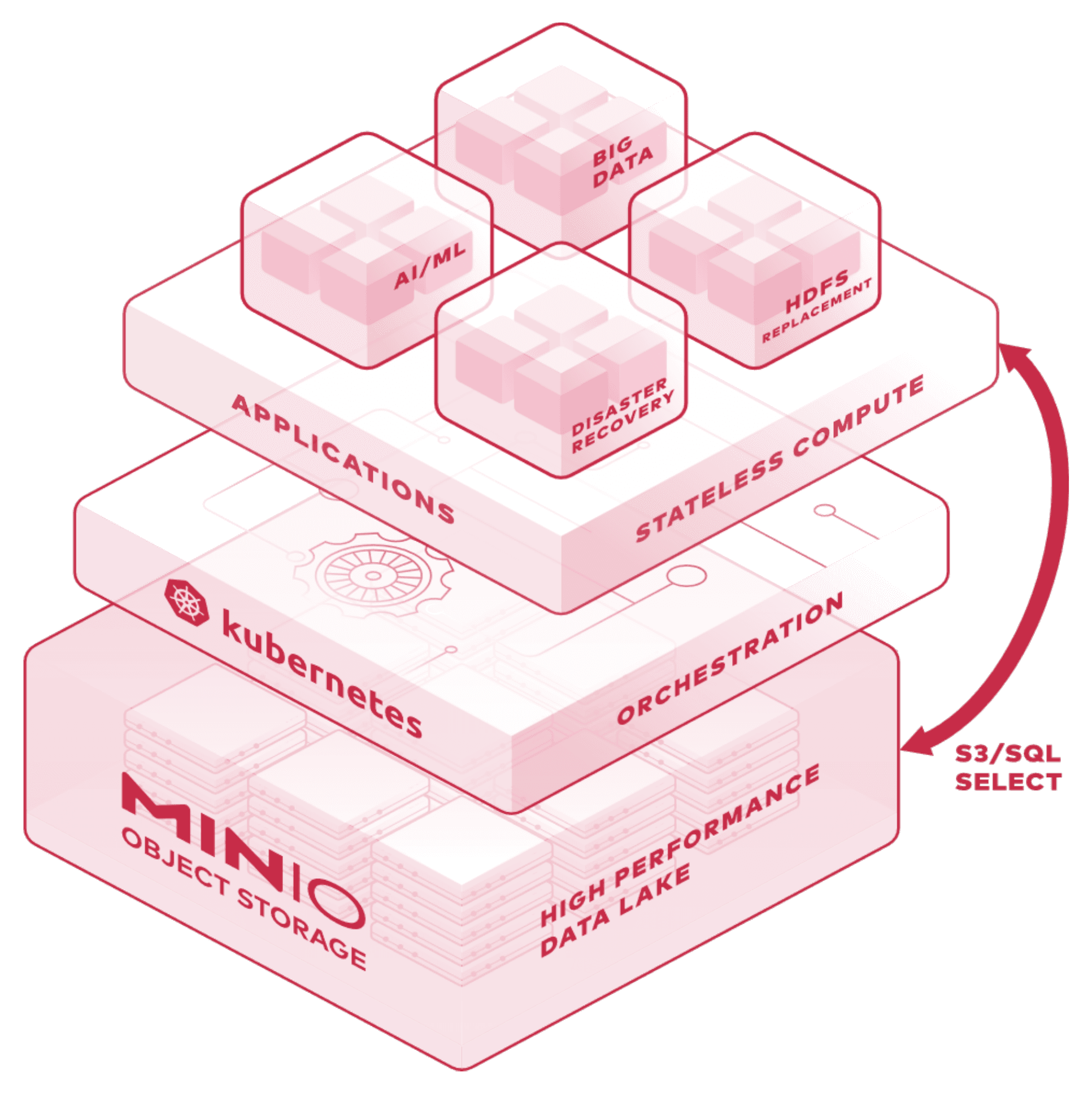
MinIO is an open source, cloud-native object storage solution that:
- Guarantees high-performance storage compatible with S3.
- Offers unlimited horizontal scalability based on Kubernetes.
- Offers a high level of data encryption and user and access management.
- Ensures high availability with multiple redundant block replication using Erasure Coding.
Deployment topology
MinIO supports three types of deployment:
Single-Node Single-Drive (SNSD or “Standalone”):
- Supports versioning and object retention (locking)
- No availability or redundancy beyond what the disk provides
- Loss of the disk or node results in downtime or data loss
Single-Node Multi-Drive (SNMD or “Standalone Multi-Drive”):
- Supports all MinIO features (versioning, locking, replication, scaling)
- Redundancy and availability at the disk level only
- Loss of the node results in downtime or data loss
Multi-Node Multi-Drive (MNMD or “Distributed”):
- Supports all MinIO features (versioning, locking, replication, scaling)
- Node- and disk-level redundancy
- Can tolerate loss of up to half of nodes or disks during deployment without service downtime
Client and SDKs
There are different ways to interact with MinIO:
-
MinIO Client CLI wa command line interface that allows:
-
S3 operations:
- GET, POST, HEAD, DELETE
- Retention (locking)
- Lifecycle management
- Object encryption
- Bucket replication
- Versioning
-
Admin operations:
- IAM (security)
- Server configurations
- Metrics, audits, etc.
-
-
MinIO SDK and SDK for Amazon S3: allows developers to perform S3 operations. Available in the following languages: Golang, JavaScript, .Net, Python, Haskell, and Java.
Divided into two modules (Operator and Tenant), Minio introduces the concept of S3 storage. The Operator allows you to create and manage different MinIO instances. A Minio Tenant isserver-like instance (storage + API) that allows you to present Buckets (using AWS, GCP, and Azure methods) Access policies are available for each user, as well as encryption and replication methods.
Uses and Functionnalities
Key uses and functionalities of MinIO include:
-
Cloud-Native and Kubernetes Native: Runs in lightweight containers and integrates seamlessly with Kubernetes for easy deployment, scaling, and multi-tenancy management.
-
High Performance and Scalability: Optimized to deliver low-latency and high-throughput data access, capable of scaling from single nodes to multi-petabyte clusters to support heavy AI/ML workloads.
-
S3 API Compatibility: Supports the full Amazon S3 API, making it a drop-in replacement for AWS S3, ideal for hybrid, multi-cloud, or on-premise environments.
-
Distributed Architecture: Supports distributed deployments that improve fault tolerance, performance, and reliability.
-
Data Protection: Features erasure coding, encryption both in-transit and at-rest, and object locking (WORM) to ensure data integrity, security, and compliance.
-
Metadata-less Design: Stores metadata with the data objects, eliminating the need for a separate metadata database and enhancing speed and scalability.
-
AI/ML Optimized Storage: Provides a data lake foundation for AI projects, supports parallel data access for faster AI model training and inference, and enables seamless integration with AI/ML frameworks like Kubeflow.
-
Event Notifications and Integration: Supports event-driven workflows and can integrate with databases and backup systems for AI data pipeline automation.
CICD integration method
To enable MinIO, set the following variables in your main configuration file.
minio_operator = {
    enabled      = true
    version      = "v7.0.0"
    namespace    = "minio-operator"
    component    = "dp-common"
    release_name = "minio-operator"
}
...
minio_tenant = {
    enabled            = true
    version            = "RELEASE.2025-02-18T16-25-55Z"
    namespace          = "minio-tenant"
    component          = "dp-apps"
    release_name       = "minio-tenant"
    ingress            = true
    url_prefix         = "minio"
    url_prefix_console = "minio-console"
}
...
minio_mc_jobs = {
    enabled      = true
    version      = "0.1.0"
    namespace    = "minio-mc-jobs"
    component    = "dp-apps"
    release_name = "minio-mc-jobs"
}
API / Swagger
Releases
| Date | Num. Version | Num. Chart | Description |
|---|---|---|---|
| 2025-02-15 | RELEASE.2024-11-07T00-52-20Z | 7.0.0 | Intilization Minio-Tenant |