Use an MCP Server in chat
Turn a connector on for a conversation and watch the model call its tools.
Chat reaches MCP Servers through connectors. You turn one on for a conversation, and the model can call that server's tools while answering. An Agent can also bring its own servers, which are on from the start.
Turn a connector on
- Select + in the composer.
- Open Connectors. The menu lists every MCP Server in your organization.
- Turn on the servers you want this conversation to use.
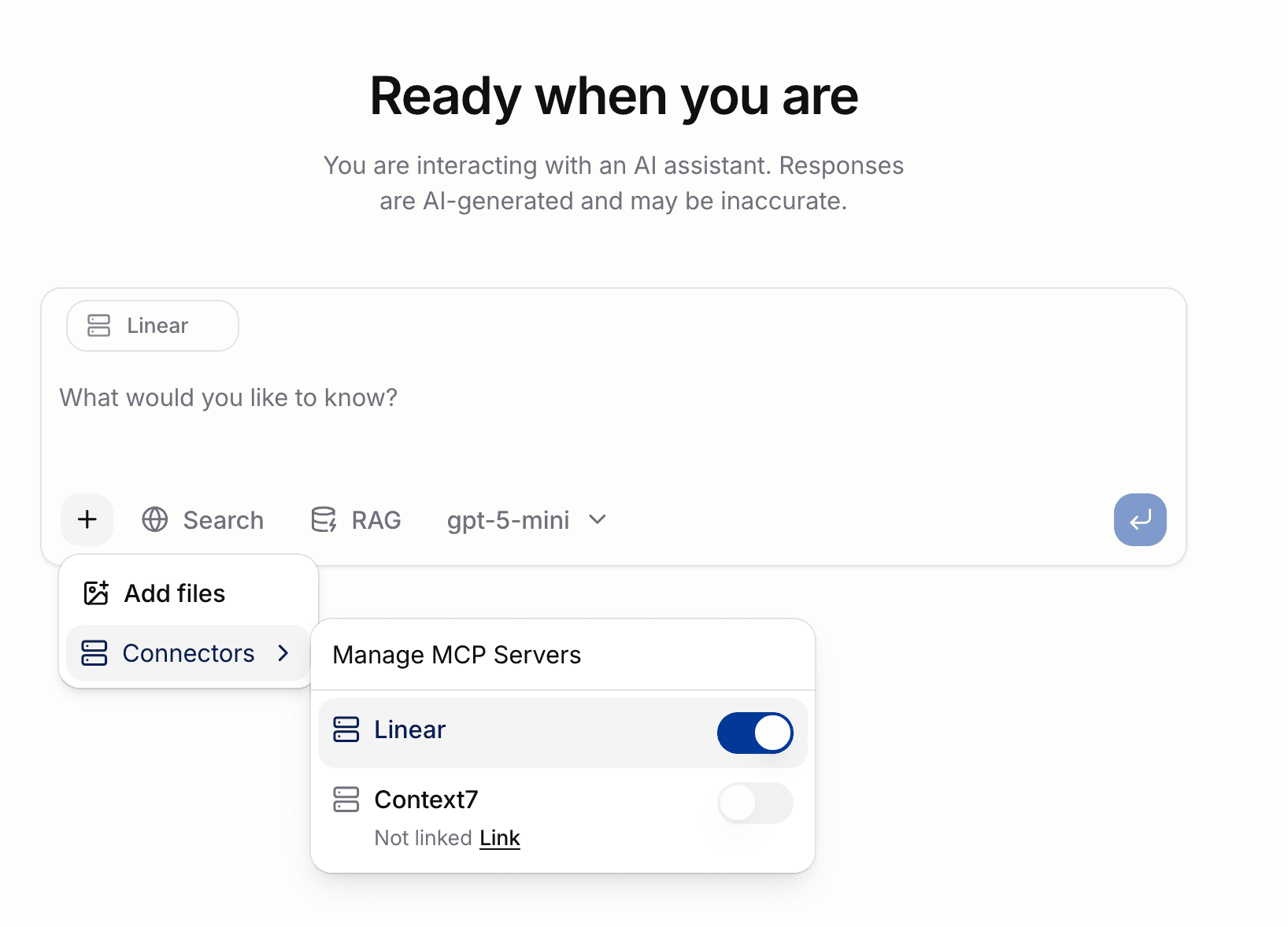
Each server you turn on appears as a chip above the input. Select the chip's ✕ to turn it off again.
The choice belongs to the conversation, not to your account. A new chat starts with nothing on except what its Agent requires.
Manage MCP Servers at the top of the menu opens the full list, which is where you link credentials and read what a server offers.
What you can and cannot turn on
The switch is unavailable in two cases, for opposite reasons.
| State | Switch | Why |
|---|---|---|
| You have not linked the server | Off, unavailable | Without your credential the server has nothing to act as. The row offers Link |
| The Agent requires the server | On, unavailable | The Agent declares it, so the conversation always has it |
| Linked, not required | Yours to set | The ordinary case |
A row you have not linked shows Not linked and a Link action that takes you to the server. Link it, return, and the switch becomes available.
If your organization has no MCP Servers, the composer shows no connector controls at all.
Agents that bring their own servers
An Agent can name the MCP Servers it needs. Those are on as soon as you pick the Agent, and marked Required by this Agent. You cannot turn them off because the Agent was built expecting them.
Requiring a server is not the same as giving you access to it. If you have not linked one the Agent needs, chat says so and the conversation runs without those tools rather than failing.
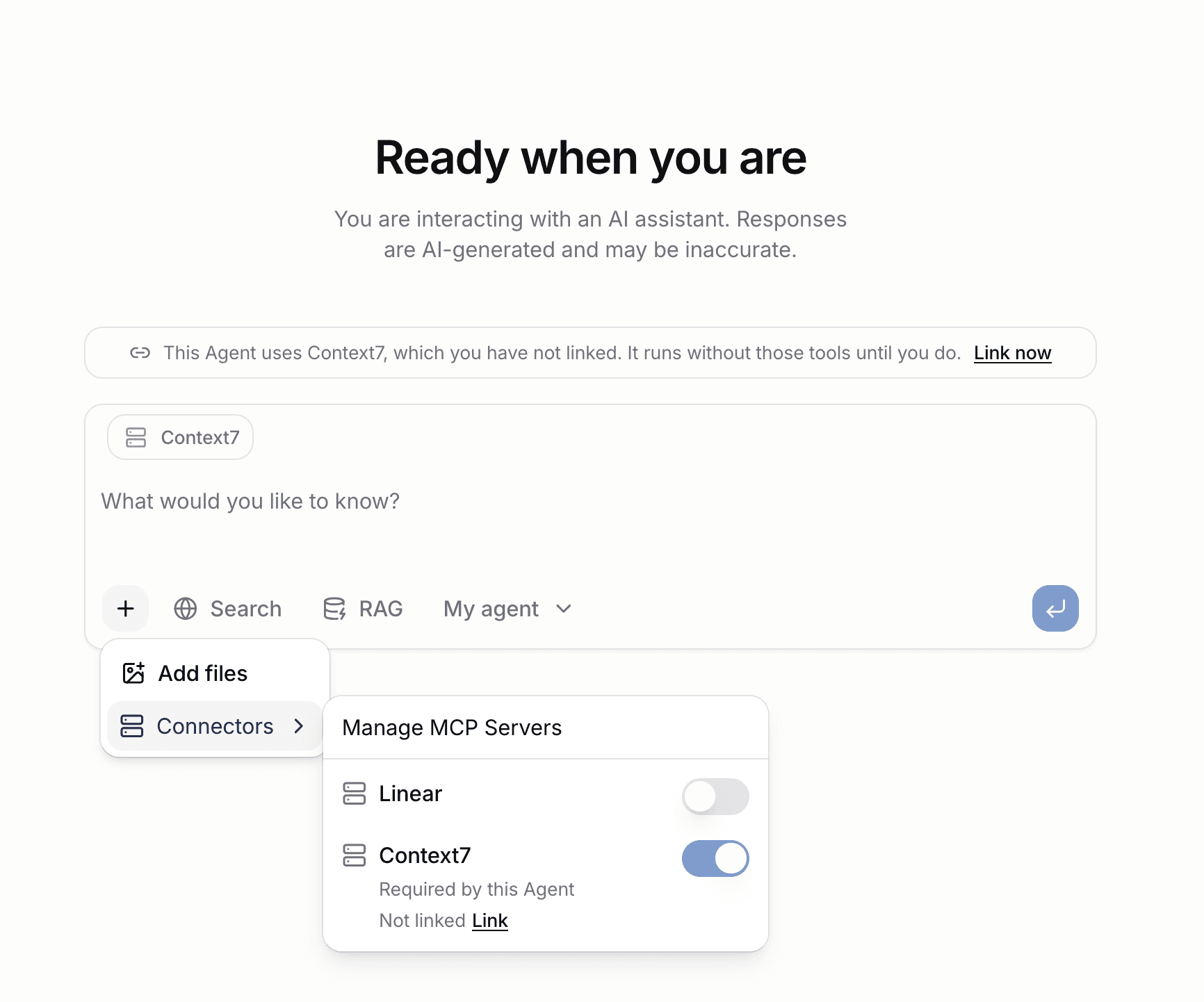
Select Link now to fix it, then start the conversation again so the model has the tools from the first turn.
Watching the model use a tool
When the model decides a connector can answer something, the tool call and its result appear in the conversation before the reply that uses them.
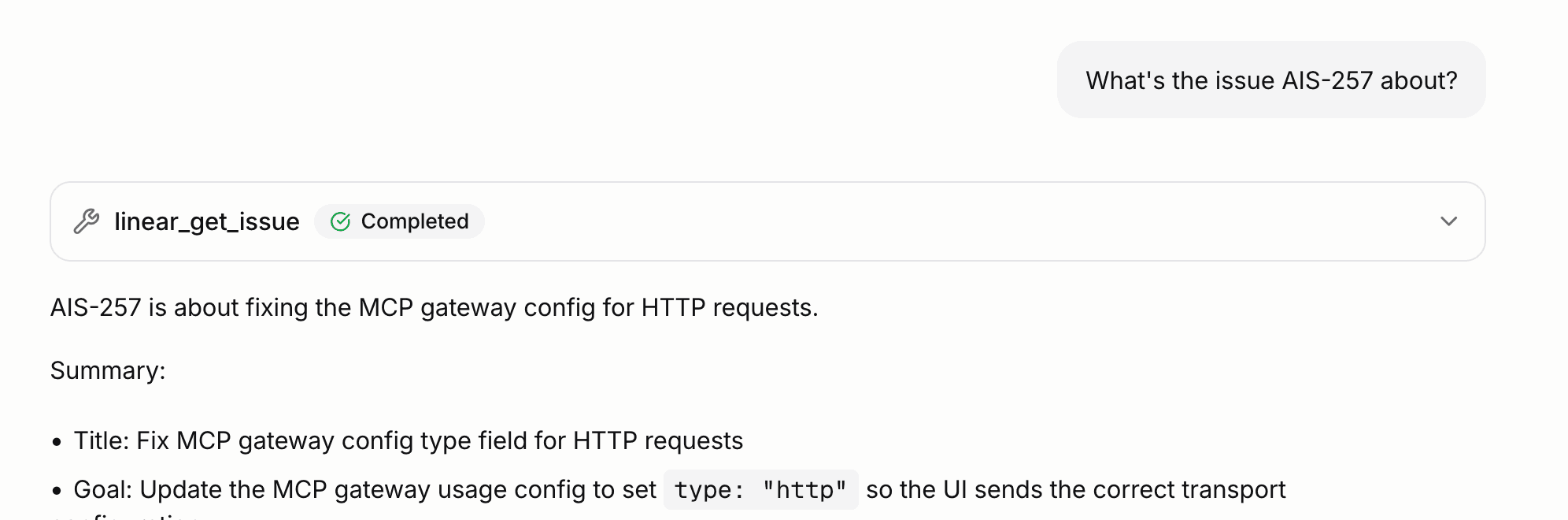
The model chooses whether to call a tool. Turning a connector on makes the tools available; it does not force their use. If the model answers without one, the connector was simply not needed.
The model only ever sees the tools the allowlist permits. A tool an administrator has not permitted is not offered and cannot be called, so the model behaves as though the server never had it. See Restrict which tools an MCP Server offers.
Every call runs as you, with the credential you linked. Two people using the same connector in the same organization reach their own accounts on the upstream system, and see different results where their access differs.